Can I learn guitar online? What equipment do I need
Do I need a Mac or PC for learning online?
Can I learn guitar online?
Yes you can. When it comes to learning online you’ll of course already have a decent internet connection, but to get the optimal experience I have put together a list of purchases to make your videos and audio stand out from the crowd whether you’re on a budget or have a bit more to spend.
Learning guitar online here at mkguitartuition.com is a bit different. Traditionally if you wanted to learn the guitar online you could find plenty of YouTube videos instructing you how to do that. What you couldn’t do is ask a question or be assessed on whether what you’re doing it correctly or not. Now, if you’d like to have a lesson in your living room, you can. You’ll see multi camera angles and receive clear audio for both speech and guitar. If you would like to book an introductory lesson you can contact me here.
What equipment do I need for learning the guitar online?
This article will address those that are on a budget or those that might have a little more to spend. Either way both will result in a much clearer result. This is of course mainly for Zoom users but you might be interested in streaming and making videos of your own as well.
Do I need a Mac or PC for learning the guitar online?

When it comes to choosing, I’ve always gone for the Mac. But that’s not to say the same audio equipment won’t work for both, it does. Over time however, I’ve learnt that what’s great for Mac isn’t necessarily great for the PC user it seems. But I’ll suggest a good option that works well for both platforms.
Tablets also work well if you have one. They’re reliable too.
Are you on a budget? Learn the guitar online.
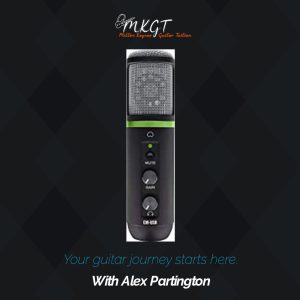
If you’re on a budget and you’re looking for a plug and play option without too much faff then I would recommend purchasing a USB Microphone where you’ll get an instant result. Zoom will automatically detect a new microphone without any additional software needed to be installed.
A 1/4 Jack to USB C or A Cable.
There is also an option of a cable which is USB to a 1/4 inch Jack (same as what you would use for Rock Smith). This is a fantastic on the budget option but it is only appropriate if you’re learning the guitar which has pick up.
The different types of guitars that this option would work for are electric or acoustic guitars but not classical unless it can be plugged in to an amplifier. If you wanted to have both microphone and guitar connectivity – you’ll want to buy an audio interface. This will allow the listener to hear both your voice and your guitar at the same time.
Do I need an Audio interface for learning the guitar online?
An audio interface is an external device which allows you to connect different types of cables such as XLR or a Jack Guitar Lead.

I have always recommended the FocusRite series. This usually comes as a bundle with a microphone and headphones too and works well for both PC & Mac.
What’s nice about the 3rd generation FocusRite series is that their software has a ‘Loop Playback’ functionality that allows the sound of the computer to be almost instantly transferred through your internet connection to your listener with out much latency. Although Zoom does have a “share sound” function, the FocusRite has little to no latency issues when compared with Zoom.
What is latency?
Latency is a term used to describe the time it takes for the sound to be heard from one source to another which results in creating an echo or a delay.
Which web cam should I buy for learning the guitar online?
For my set up I use the Brio 4k Web Cameras which do a fantastic job of not taking up much room at all and also produce a 4k image. For my teaching purposes I actually have two of these, but for a students’ point of view, just the one is fine.
Lighting
All cameras need light. I actually went to B&Q and picked up a desk LED ring light for £35, bargain!

General room lighting

In addition make sure that the lamp shades for your ‘general room lighting’ doesn’t have a yellow lamp shade or some other strange colour. Removing the lamp shades will end up with a great result assuming you have a white 100w lightbulb.
Avoid unflattering shadows.

Other factors are when positioning yourself is to try not to make sure the camera is facing a window or a mirror that produces a lot of light. Over head ceiling lamps can also create a halo effect. These techniques will create a silhouette or unwanted shadows which isn’t necessarily great either. The light wants to be shining from your ceiling which is in front or on top and not from behind you.

Arm mount or a mini desk tripod stand
Purchasing an arm mount or a mini tripod desk stand will be a great advantage. The webcams do come with a mount designed to sit on top of your monitor, but they can be placed on top of a tripod or arm mount as well. Perfect for our learning purposes.
I hope you’ve found this useful, here are the links to the above products that have been spoken about in the article. Do share this post to others if you feel it will benefit.